Currently planned · Starting mid-November
bimaTool USB – one diagnostic interface for every BMW with OBD2
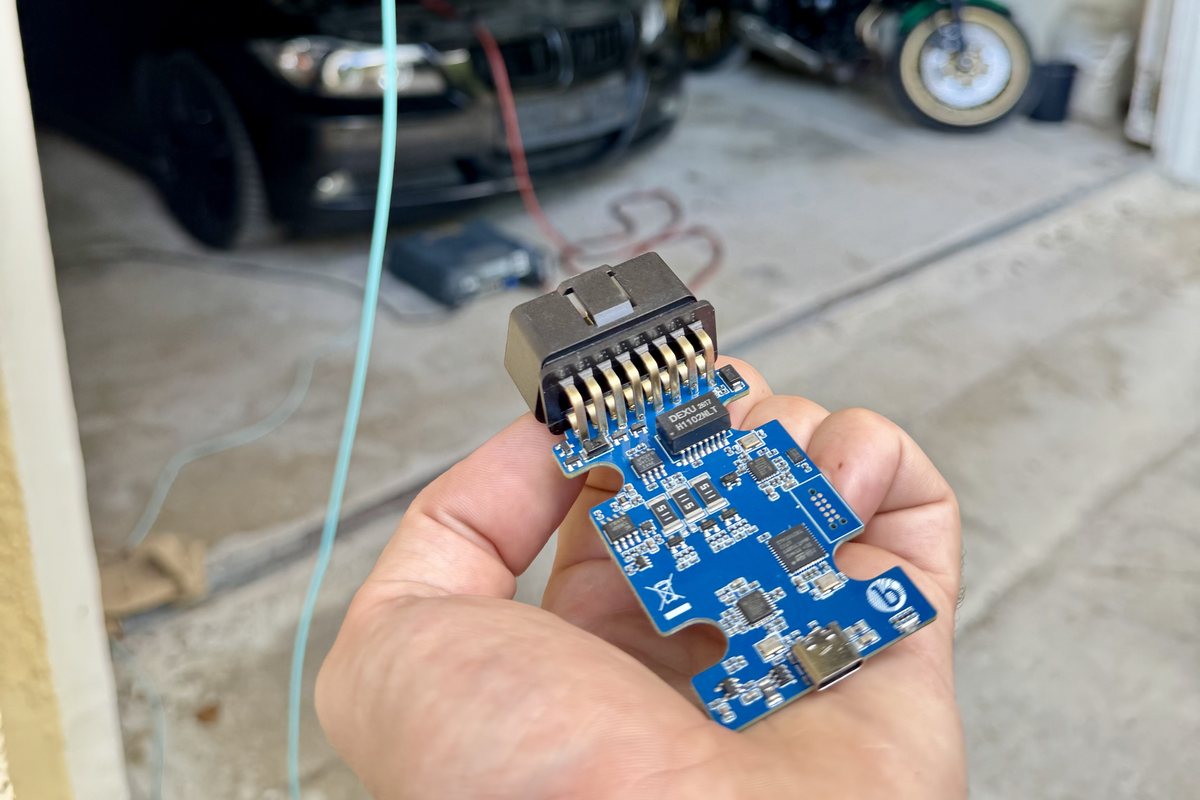
Our diagnostic interface for every BMW with OBD2: K-Line, CAN bus and Ethernet in one device, connected via USB-C and powered from the OBD port – free to use with your own software. Before the sales launch, selected users test the first batch.
Starting mid-November. This is the registration. We ship the test devices after selection – you will get all the details by e-mail.
The beta test costs you nothing. Everyone who gives feedback during the test keeps their bimaTool USB free of charge as a thank-you.
What the bimaTool USB does
One device for every BMW with an OBD2 port: K+D-CAN cable and ENET interface in one, connected via USB-C and powered directly from the OBD port. No cable clutter, no swapping.
- Every BMW with OBD2 – no exceptions: K-Line (2 channels), CAN bus and Ethernet – from older cars to the current series.
- Free to use with your own software: the bimaTool USB is a general VCI and interoperable with EDIABAS – no lock-in, no tie to us.
- Remote connection to us: with bimaToolRemote you connect your car to us, for coding for example, without driving to us.
How beta testers are selected
More people have registered interest than there are devices for the beta test. Selection is based on the vehicle fleet and diagnostic experience: we want to cover K-Line, CAN bus and ENET across as many model series as possible – from the E46 to the current G series.
We are especially looking for testers who:
- regularly work with diagnostic or coding software (EDIABAS-based programs, workshop software, their own tools)
- have several cars or model series at hand
- enjoy giving detailed feedback – on connection, stability, drivers and software
Not selected?
No problem: everyone who registers and does not get a test device automatically receives an early-bird discount on the finished product.
What to do now
Create an account
Create your account and confirm your e-mail address.
Enter your VIN
From the VIN we determine the model series and diagnostic protocol (K-Line, CAN, ENET) of your car to cover as many series as possible.
Submit and wait
As soon as the selection is made, we will get in touch.
Registration
Mobile number (optional)
Only if you want to join the beta testers' WhatsApp group. With country code, e.g. +44 7700 900123.
With your username or e-mail address and password. Log in
How the test works if you are selected
You receive a device from the first batch by post and test it over several weeks with your own software.
What you should have ready
- A computer running Windows, macOS or Linux with a USB-C port (or adapter)
- Your diagnostic or coding software – anything that works with EDIABAS-compatible interfaces
- One or more BMWs with an OBD2 port
How the beta test works
- Receive the device – in the box: bimaTool USB and cable. No power supply needed, power comes from the OBD port.
- Install the driver – download and instructions are in your account after selection.
- Plug in – OBD plug into the car, USB-C into the computer, ignition on.
- Work with your software – K+D-CAN on older series, ENET on current ones; the device switches by itself.
- Try bimaToolRemote – establish a remote connection to us once.
- Give feedback – via your account here or in the WhatsApp group: what worked, what did not, on which model series.
Safety
The bimaTool USB is a pure interface: it only reads and writes what your software requests and never acts on the car by itself. It is powered from the OBD port and protected against reverse polarity and overvoltage.
We are looking forward to the start.